3-step quick run of pbottleRPA official example (Demos)
Step 1:
Download and launch the pbottleRPA base platform program
Download the portable ZIP archive from the official website homepage:
https://officetool.online/pbottle-rpa/
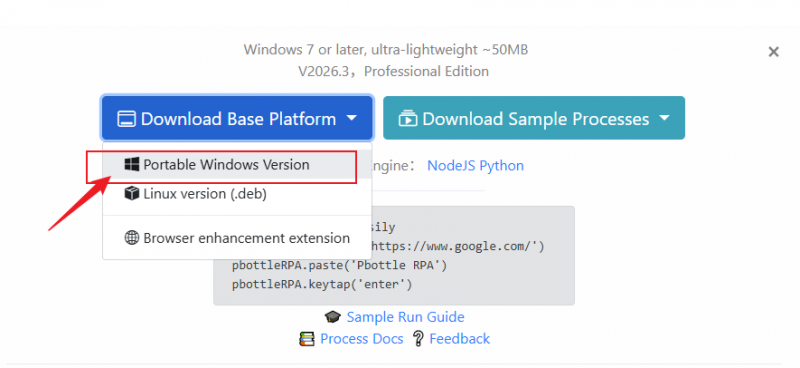
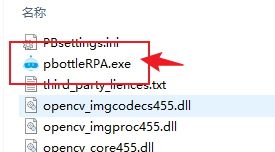
After extraction, double-click **pbottleRPA.exe** (with the logo icon) to launch the pbottleRPA base platform.
Step 2: Install the Script Engine
Download and install the script engine (Node.js):
https://officetool.online/a-316.html
After installation, restart the base platform program from Step 1.
Verification methods:
In the software: Tools → Check Script Engine
OR Via command line: Run node -v to verify successful installation.
Step 3: Run the Sample Script
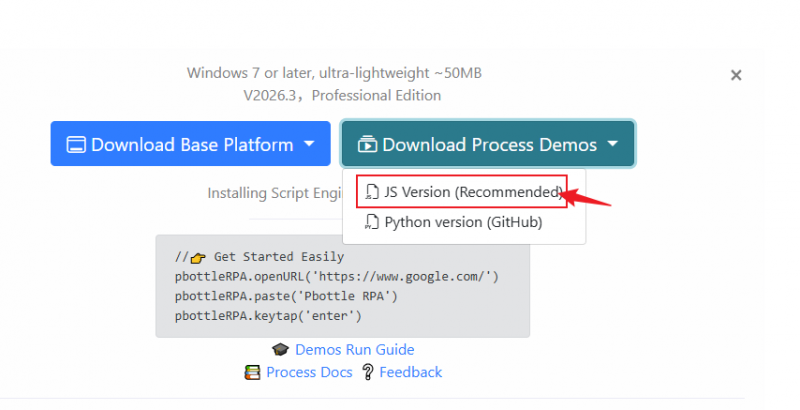
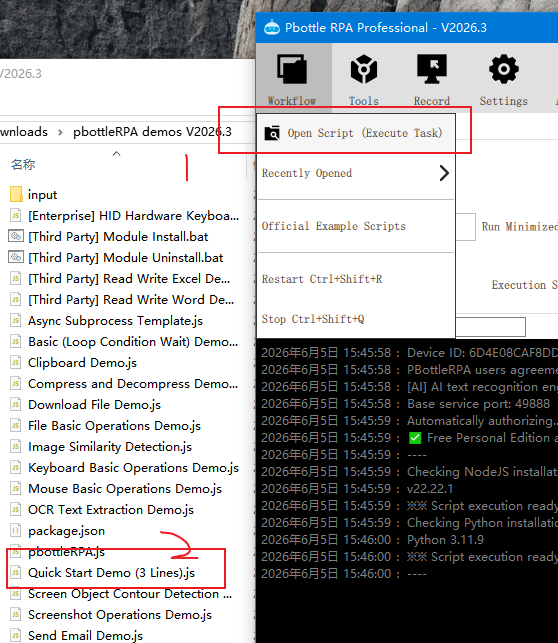
Download the sample script (JS version recommended), unzip it to any folder, then launch PBottle RPA installed in Step 1 to open and execute the workflow script.
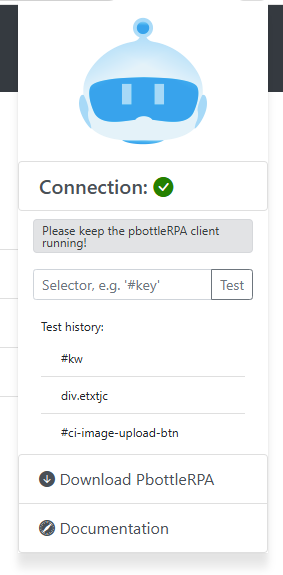
Step 4: Install Browser Extension
Install the enhancement plugin matching your browser via: https://officetool.online/a-313.html
Available for official browser stores for safer downloading.
Continue:
Click to run: [Third-party Module Install].bat
Copy any sample demo script into the current folder, edit codes in VS Code to customize for your own business workflows.
📚 Full development documentation: https://officetool.online/pbottle-rpa/docs/
----
Basic Demo File List:
[Enterprise] HID Hardware Keyboard Mouse Demo
[Third Party] Read Write Excel Demo
[Third Party] Read Write Word Demo
Async Subprocess Template
Basic (Loop Condition Wait) Demo
Clipboard Demo
Compress and Decompress Demo
Download File Demo
File Basic Operations Demo
Image Similarity Detection
Keyboard Basic Operations Demo
Mouse Basic Operations Demo
OCR Text Extraction Demo
Quick Start Demo (3 Lines)
Screen Object Contour Detection Demo
Screenshot Operations Demo
Send Email Demo
Send Ops Notification to Mobile
Upload File Demo
User Input Variables Demo
Utility Tools Utils Demo
WEB Enhanced - Account Login Demo
WEB Enhanced - Browser Element Operations
WEB Enhanced - Data Batch Scraping