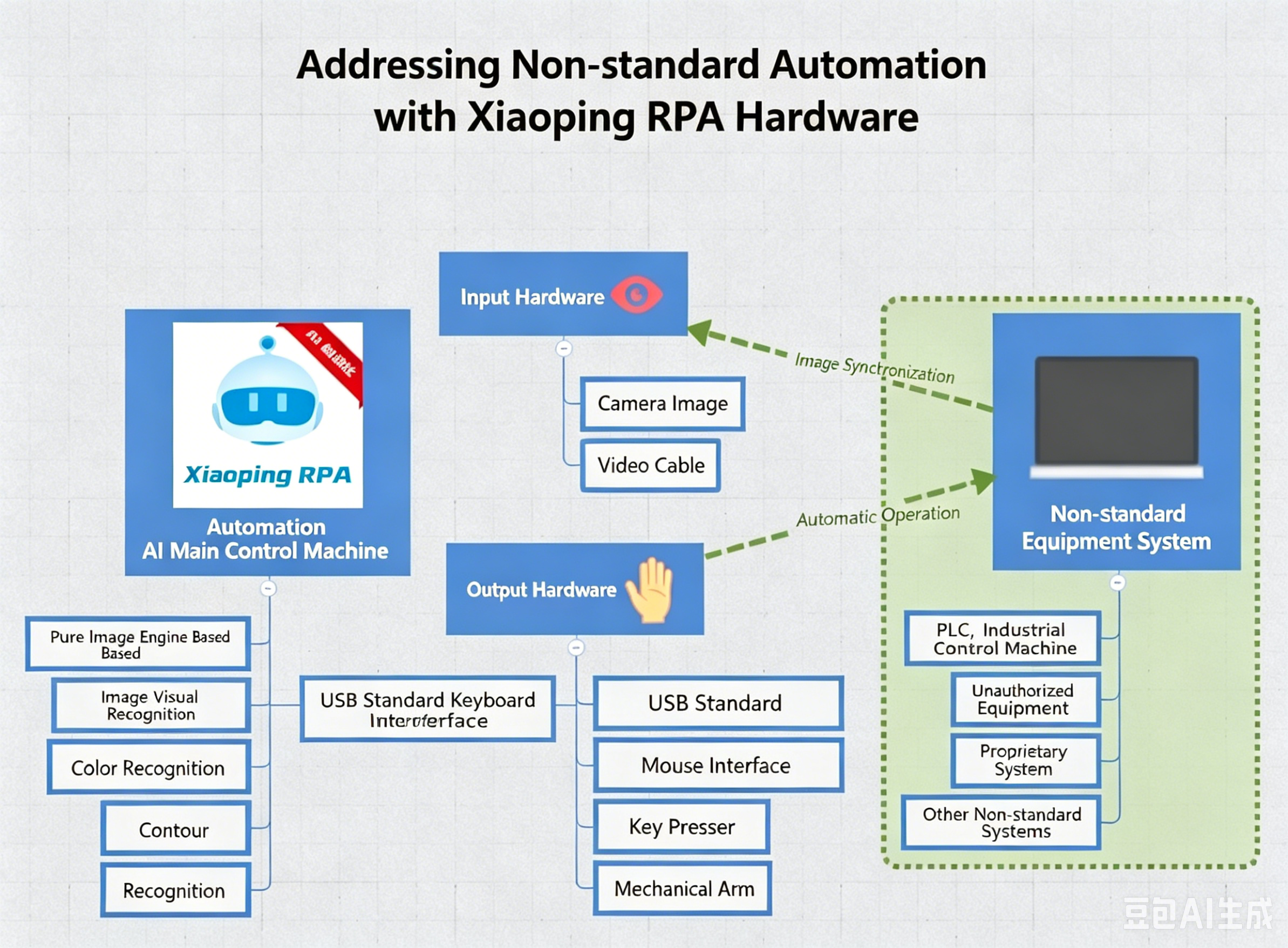
Hardware Keyboard and Mouse Automation Simulation
⚠ Only available for commercial users.
Most RPA solutions use software simulation to control the keyboard and mouse. Some banking software, U-shield software, financial software, etc., prohibit other software from controlling them for security reasons. pbottle RPA hardware keyboard and mouse automation simulation can solve this problem.
Hardware Acquisition
- Request the pbottleRPA simulator by mail.
- Computer must have an available USB port.
Software Configuration
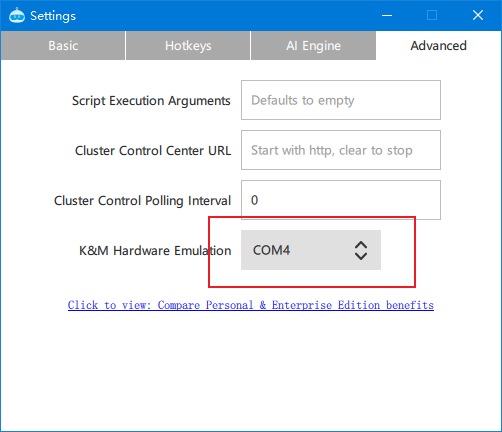
- Menu -> Settings -> Advanced -> Hardware Keyboard/Mouse Simulation.
- After plugging in the device, switch to the current simulator.
- Change the current flow script to the hid scope.
See demo example: HID Hardware-Level Keyboard and Mouse Demo.js
Non-Standard Device Automation
With pbottleRPA hardware-level keyboard input, non-standard device automation can be achieved.