System Related
wait | Wait
Pause script and wait for operation response (seconds). Note: waiting over 100s will log a reminder. @param {number} seconds seconds, default 1 second. Supports decimals.
setDefaultDelay | Set Default Operation Delay
Set the delay for RPA simulation operations. Includes mouse, keyboard, paste, and open URL actions. Set to 0 to manually manage operation delays with sleep().
@param {*} millisecond delay in milliseconds
jsPath | Directory Path
Variable name: Current script's folder path, without trailing slash.
Alias: __dirname for convenience in .mjs usage.
getBasePath | Base Path
Get and set the base platform root directory path. Enabled from V2025.0+.
@returns
showMsg | Display System Message
@param {} title title @param {} content content
This message dialog is a native operating system dialog.
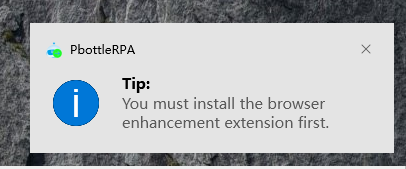
💡 Turn on the notification toggle for pbottleRPA in System Settings.
showRect | Display Marked Rectangle
Display a colored rectangle on the visible screen for intuitive visual feedback of the operation range and current target position. Effective for versions >= V2024.6.
@param {number} fromX starting X coordinate, origin at top-left of screen
@param {number} fromY
@param {number} width width
@param {number} height height
@param {string} color color: red|green|blue|yellow
@param {number} msec display duration in milliseconds
Example script: Moments Likes, Screenshot, Text Recognition
openFile | Open File
Open a file with its default application, such as Word, Excel, PDF, etc.
@param {*} path file path
openDir | Open Directory
Show a folder in File Explorer.
@param {*} path folder path
kill | Close Application
(Force) close a specified application.
@param {string} processName process name, e.g.: 'WINWORD.EXE' as shown in Task Manager 'Process Name' column. Note: not the display name; if not visible, right-click and enable this column.
@param {boolean} force whether to force close, equivalent to simulating Task Manager's End Task. Default is normal close, which may prompt a save confirmation dialog.
pbottleRPA.kill('WINWORD.EXE')  // close Word
pbottleRPA.kill('EXCEL.EXE')  // close Excel
pbottleRPA.kill('msedge.exe')  // close Edge browser
copyText | Copy Text
Simulate copying text, equivalent to selecting and copying text content.
@param {string} txt text content to copy
copyFile | Copy File
Simulate copy file operation, supports file paths and folder paths. After copying, Ctrl+V in target folder to paste. Effective from V2024.7.
After copying a file, you can paste it in WeChat send window to send the file.
@param {string} filepath absolute path
exit | Exit Flow
Force exit the current script.
@param {string} msg message to output on exit
log | Log Output
@param {string} text output log
waitFile | Wait for File
Wait for a file to be downloaded or generated.
@param {string} dirPath monitored directory, e.g.: 'c:/User/pbottle/download'
@param {string} keyWords filter keywords, e.g.: '.zip'
@param {function} intervalFun operation to run between checks, function format
@param {number} timeOut wait timeout in seconds