Local AI Image
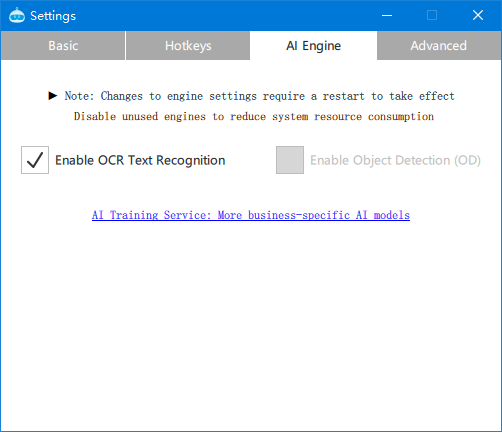
First, enable the local AI recognition feature module in the software settings, then restart the software to take effect.
aiOcr Text Recognition
@param {string} imagePath empty or "screen" for the computer screen; or absolute path to a local image
@param {number} x optional, crop start point, starting from top-left corner
@param {number} y optional, crop start point
@param {number} width optional, crop width
@param {number} height optional, crop height
@returns {array} AI OCR recognition JSON results with confidence score and center position format: [{text:'A',score:'0.319415',x:100,y:200},...]
findText Find Text
findText searches and locates text on the screen
Note: performance depends on computer specs; may be slow on low-end machines. Requires pbottle RPA client version > V2024.5
@param {string} inputTxt
@param {number} fromX=0 optional, search start X coordinate
@param {number} fromY=0 optional, search start Y coordinate
@param {number} width=-1 optional, search width
@param {number} height=-1 optional, search height
@returns {JSON} returns JSON result: {x,y,text} x,y coordinates relative to fromX, fromY.
aiObject Object Detection
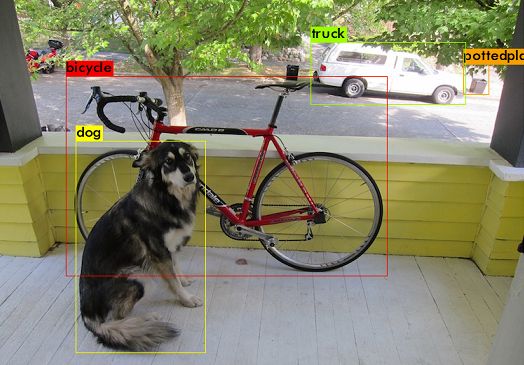
AI object detection has been upgraded from classic algorithms to AI model prediction, Enterprise Edition can work offline. Effective for versions >= V2024.8
Debug: a debug/Ai_ObjectDetect.png file will be generated in the software root directory
@param {number} imagePath empty or "screen" for the computer screen; or absolute path to a local image
@param {number} x optional, crop start point, starting from top-left corner
@param {number} y optional, crop start point
@param {number} width optional, crop width
@param {number} height optional, crop height
@returns {array} AI object detection JSON results with confidence score Format: [{x:100,y:100,width:150,height:150,score:0.86,class:'class name'},...]