CAPTCHA Automation
Friendly reminder: pbottleRPA primarily focuses on simulation operations and data processing. It does not have any cracking capabilities.
Prefer methods such as maintaining login state, using U-shields, periodic refreshing, etc., to preserve user permission sessions.
Simple Image CAPTCHA
The pbottleRPA text OCR module can handle simple alphanumeric CAPTCHAs.
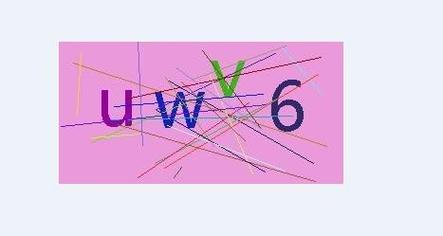
Human-Assisted Semi-Automation
The flow is as follows:
- pbottleRPA captures the CAPTCHA screenshot.
- Send it to the system administrator's phone for manual recognition.
- The recognition result is sent back to pbottleRPA for automatic input.
- Verification complete!
Tip: Most systems have a "Remember Login State" feature. Please check this option first — only need to log in once per computer.
Using Third-Party Web APIs
Search Baidu for "CAPTCHA recognition API". These are typically API cloud services from small vendors. Register, pay for API access, and use them.
Flow:
- pbottleRPA captures the CAPTCHA screenshot.
- Upload the screenshot to the third-party API.
- pbottleRPA generates mouse/keyboard logic based on the returned result.
- RPA completes the verification.
Private Deployment for Own System
One of pbottleRPA's value-added services — based on AI image technology, independently train a local service adapted to your current CAPTCHA.